
June 22, 2026
Discovery Pro 8.22 released
Discovery Pro is the ultimate virtual analog synthesizer and sampler with 4 layers, 12 oscillators, 16 filter types including Nord Lead 2, Moog, and Oberheim SEM models, SFZ/WAV/SoundFont support, PADSynth re-synthesis, and Nord Lead 2 SysEx import/export.
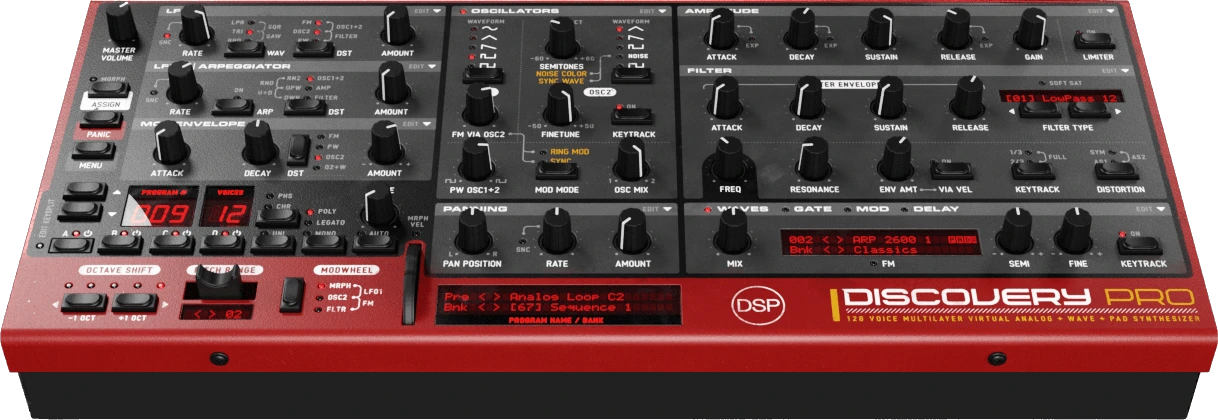
Version 8.22 adds two new GUI sizes (1.25x and 1.75x) for crisp, sharply scaled interfaces between the existing tiers, plus visual destination feedback for the modulation sources: when you change where LFO 1, LFO 2 or the Mod Envelope is routed, the target control briefly blinks so you can see at a glance what the modulation is affecting.
What's New
- 1.25x and 1.75x GUI Sizes: Two new zoom levels fill the gaps between the 1x, 1.5x and 2x tiers, giving five selectable interface sizes in total. Rather than stretching the existing artwork, these sizes are resampled from high-resolution source assets with a Lanczos filter for sharp, clean rendering on both standard and Retina displays. The first time you select a new size for a skin the assets are prepared in the background (a brief "Generating Assets" message appears on the display); after that the size applies instantly.
Improvements
- Revised Skins: The Default, Silver Haze and Shadow Wave skins have been redrawn from high-resolution sources and repackaged losslessly, for cleaner artwork that scales sharply across every interface size.
- Sharper LED Alignment: Status LEDs are now drawn as live overlays rather than being baked into the background, so they line up precisely and stay crisp at all GUI sizes, including the new 1.25x and 1.75x zooms.
- Destination Blink Feedback: Changing an LFO 1, LFO 2 or Mod Envelope destination now flashes the control it routes to. Knob destinations (FM, Pulse Width, Filter Cutoff, Amp Gain) pulse their LED ring at full range, while oscillator destinations blink the corresponding waveform LEDs. The Mod Envelope's Oscillator 2 + Wave destination also blinks the wave tab indicator. The feedback works from the destination button, its LEDs, the transparent labels and the right-click menus, and always flashes only the final destination.
This update is free for all 8.x customers. Discovery Pro is available for Windows, macOS (including Apple Silicon), and Linux in VST, VST3, AU, AAX, and standalone formats.
June 15, 2026
Discovery Pro 8.21 + Dimensions bank released
Discovery Pro 8.21 is out alongside Dimensions, a new 128-preset sound bank by Ronei Leite (Spectro Senses). This release sharpens performance, adds Ultra Wave Resampling for pristine offline renders, and brings right-click quick menus to almost every knob and button.
New Sound Bank: Dimensions by Ronei Leite
- 128-preset collection pushing Discovery Pro into deep, cosmic, dancefloor-ready territory.
- Crafted by Ronei Leite da Silva (aka Spectro Senses), a Sao Paulo producer and mastering engineer with over 20 years in the electronic music scene.
- Acid lines, rolling psytrance basses and hypnotic plucks to evolving pads, lush choirs, classic-synth emulations and otherworldly FX.
- Every patch mixed by a producer's ear and ready to drop straight into a track.
New Features
- Ultra Wave Resampling (SINC): new offline render mode using a 513-tap windowed-sinc interpolation for the cleanest possible sample playback when bouncing. Engaged automatically when the host renders offline.
- 1x (Draft) oversampling restored as a playback and bounce option for the lowest CPU usage when sketching or auditioning patches.
- 0.5x (LoFi) playback mode: a fast-biquad undersampling option that runs the engine at half the host sample rate for a gritty, lo-fi character.
- Disk Mode export: Export Program to Active Folder saves the loaded program straight into the folder you are browsing, mirrored at the top of the Disk Bank popup.
- Right-click quick menus on knobs and buttons: musical intervals on pitch, exact cents on fine tune, dB presets on levels, tempo divisions on LFOs, exact envelope times, and a full MIDI CC submenu with Learn, Clear and a labelled CC list on every control.
Improvements
- Lower CPU across the board: FMA contraction is now enabled on every platform, collapsing multiply-add pairs into a single instruction across the entire DSP path.
- Extended CPU protection ladder: under overload the engine reduces oversampling all the way to 1x (8x to 1x) before stepping voices down (128 to 16), restoring fully after Panic or reload.
- Voice-limit debounce: short CPU spikes no longer trip the voice limiter, and Draft (1x) patches now also gain the limiter safety net.
- Faster Ultra Wave Resampling: notes at or below their root pitch render about 1.85x faster on Apple Silicon with bit-identical output, and the SINC table now builds on a background thread.
- Filter envelope shaping: Attack, Decay and Release now follow an exponential curve for a more natural, analog-style response.
Bug Fixes
- Fixed a MIDI feedback loop that could pile voices up to the polyphony cap when MIDI Out fed played notes back into the same instance.
- Fixed a rare permanent loss of audio caused by an invalid envelope gain value, which now recovers automatically.
- Guarded the virtual MIDI output path on the Windows build.
June 7, 2026
OB-Xd 3.22 and Bliss 1.14 released
We're pleased to announce updates to OB-Xd and Bliss, featuring expressive aftertouch on ordinary keyboards, full MPE for the Bliss sampler, automatic loop cue extraction, tracker module import, and a host of sample editor improvements.
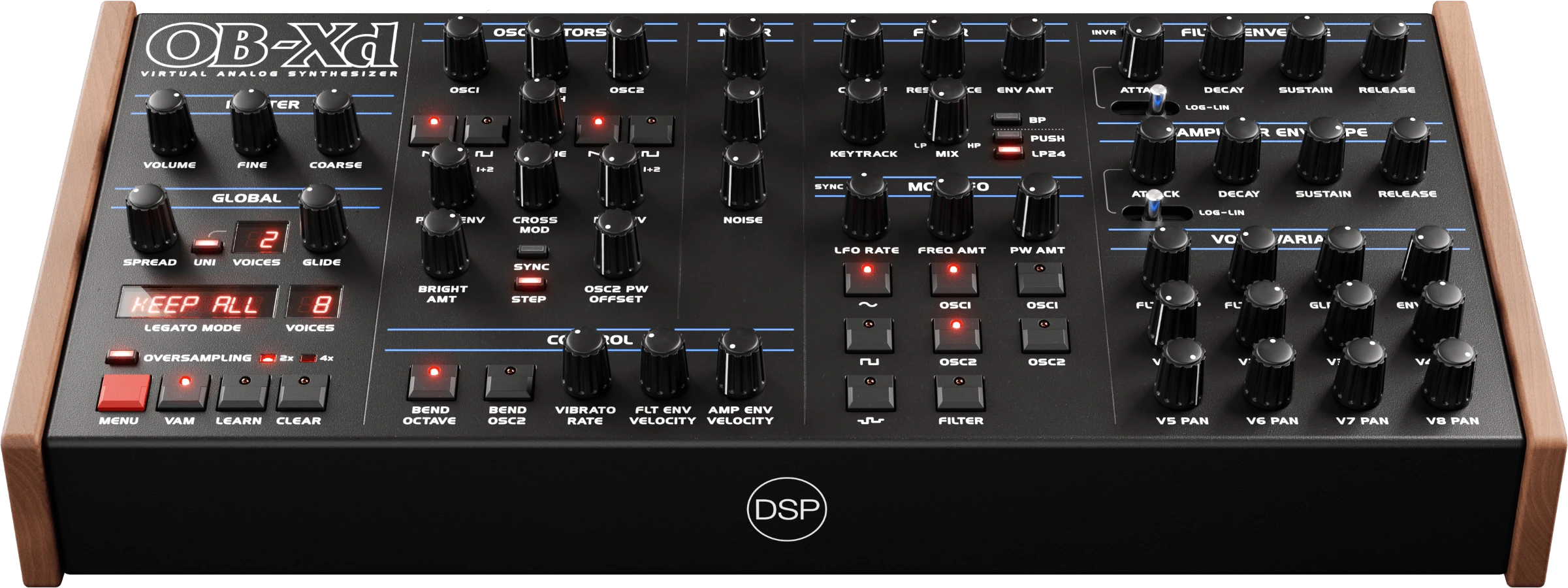
OB-Xd is a classic virtual analog synthesizer that recreates the Oberheim OB-X with enhancements like micro random detuning, polyphonic unison, and bi-directional MIDI control.
Version 3.22 brings expressive aftertouch to ordinary keyboards - no MPE required - with multi-destination routing, invertable response, and a Poly AT mode for per-finger controllers. Plus fixes for Windows HiDPI knob rendering and popup menu scaling.
What's New
- Aftertouch for Non-MPE Keyboards: Channel pressure can drive any combination of Cutoff, Pulse Width, PW Offset (Osc2), Cross Modulation, Osc2 Detune, Pitch, Pan, and Amp simultaneously - the same destination set as MPE Y/Z. Depth and Mod Wheel Scaled controls let you set how far pressure pushes each destination, and optionally ride the amount from your mod wheel. Invert flips the response so pressure ducks the destination instead of boosting it - close the filter, pull pitch down, or duck amplitude as you press harder. Reads both mono channel pressure and polyphonic aftertouch - poly drives per-voice, mono fans out to all voices. Live LED previews on every routed destination. The Aftertouch menu appears only when MPE is off, so the two never conflict.
- Poly AT Mode: Controllers like the ROLI Lightpad in Multi Channel mode - per-finger MIDI channel but no MPE handshake - now drive per-voice aftertouch. Channel pressure is re-routed to the last note played on that channel. Mutually exclusive with MPE - enabling Poly AT disables MPE and vice versa. Notes on any channel are accepted, with per-channel bend collapsing to the global wheel. The setting is saved per-instance and globally, so new instances inherit your last-used choice.
- Windows HiDPI Knob Rendering: Knobs no longer render blank at 150%/200% display scaling - tall high-resolution filmstrips are now sliced past the Direct2D size limit.
- Popup Menu Font Fix: Menu text no longer double-scales on high-DPI Windows displays.
This update is free for all OB-Xd 3.x customers. OB-Xd is available for Windows, macOS, and Linux in VST, VST3, AU, AAX, LV2, and Standalone formats, and Standalone and AUv3 for iOS.
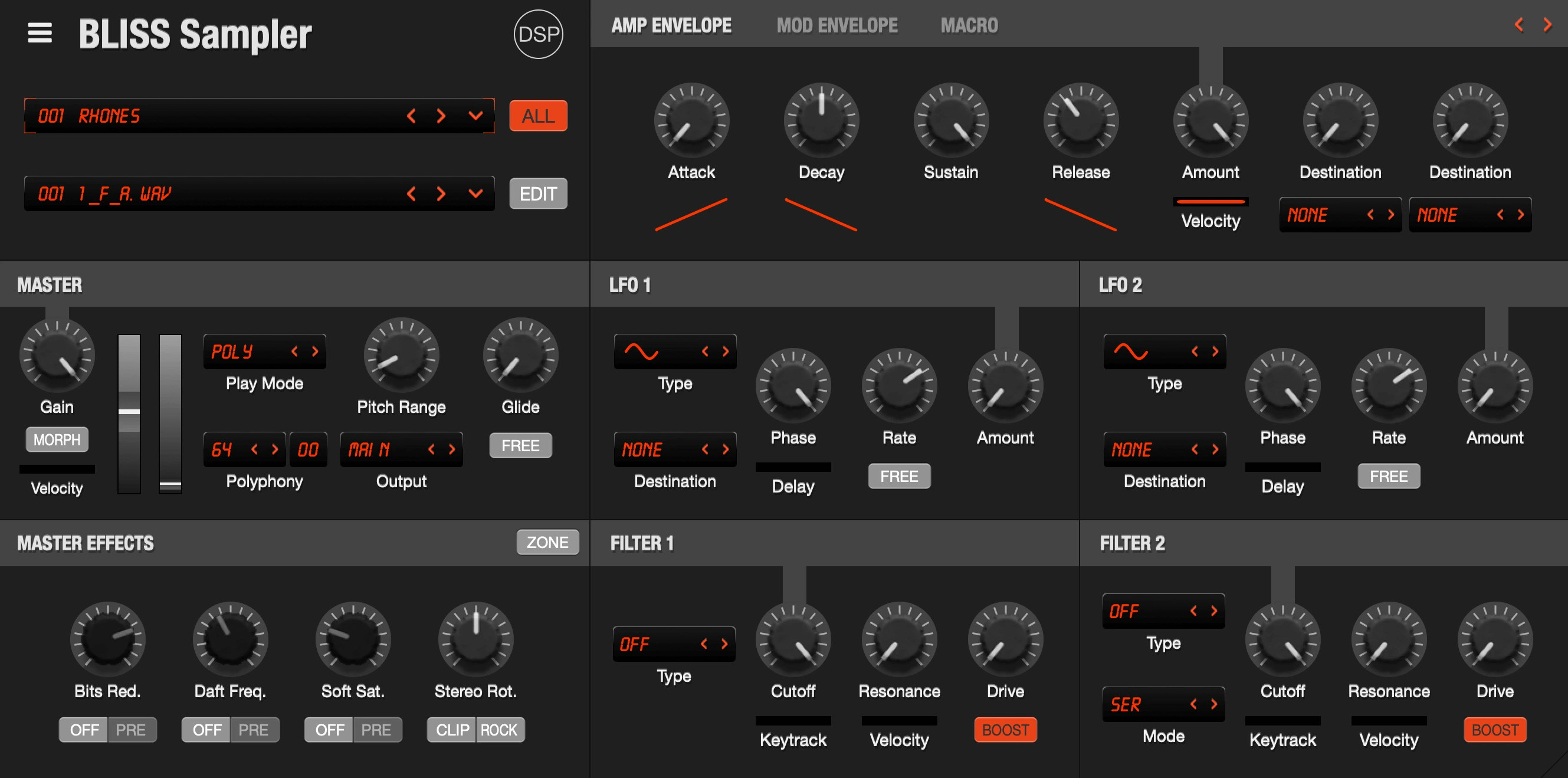
Bliss is a professional sampler with VST/AU and hardware instrument recording capabilities, Visual Key Mapper, built-in wave editor, and comprehensive format support including AKAI S1000/S3000/S5000/S6000, NKI, EXS, SFZ, SoundFont2, and CD-ROM disk images.
This is a consolidated update covering five Bliss releases shipped over the past month, headlined by full MPE support, automatic loop cue extraction, tracker module import, three new sample effects, and a significant set of Sample Editor improvements.
What's New
- Full MPE Support: Per-voice X/Y/Z expression with per-channel pitch bend, timbre and pressure routed independently to each note - works with ROLI, LinnStrument, Osmose and other MPE controllers. Dedicated MPE panel with six routing slots (X/Y/Z) assignable to any modulation destination, each with an amount knob and invert. Configurable MPE settings: enable, Poly Aftertouch, timbre CC (default 74), pitch bend range and per-axis rest position. Automatic MPE configuration via RPN, so most controllers enable MPE and set the bend range on connection. MPE preset system with save, load, copy, paste and reset, plus a Paste > Program to Bank option. Live preview shows incoming MPE expression depth on the destination knobs. Manager-channel pitch bend and pressure are routed as global so hybrid controllers behave correctly.
- Tracker and Buzz Sample Import: Native import of classic tracker module sample formats (.mod, .xm, .s3m, .it) and Jeskola Buzz wavetable samples (.bmx) - access decades of demoscene and tracker sound libraries directly inside Bliss.
- Automatic Loop Cue Extraction: Analyzes beats, harmony and timbre to place cue markers around repeating loop segments automatically - turn any loop into a properly cued, ready-to-play sample with one click.
- New Sample Effects: Sin Drive and Tanh Drive add musical saturation and warmth; Spectral Mirror provides real pivot-based spectral inversion; Erosion Clip delivers gain-compensated stackable clipping for aggressive textures.
- Sample Editor Multi-Zone Operations: Cmd/Shift+click and drag multi-selection in the zone list, with multi-zone support for Export, Resample, Time Stretch, Render Pitch Shift, and Trim by Loop Points. Double-click on the Sample Editor divider auto-fits zone list width. Adjust Root Note detects and sets zone root note from waveform.
- Sample Editor Workflow: Go to Zone submenu for quick zone selection. Virtual Keyboard Root Note menu to view and shift the on-screen keyboard octave. Toggle to show or hide the Sample Editor zone list with a keyboard shortcut. Auto-Adjust Zone List Width option that fits the list to the widest zone name. Change Zone by MIDI Note menu item.
- Forward-Compatible Modulation: Modulation-destination serialization is now enum-growth-safe, so patches saved today keep working as we add new modulation destinations in future updates.
- Improvements: Renamed Export menu items and unified the Export All Zones dialog. Relocated Editor Zone Export functions to File Export for consistency.
- Bug Fixes: Fixed sample editor selection being ignored after a second selection. Fixed knob changes not applying to shift+click and drag-selected zones. Fixed lost active zone when reopening Sample Editor. Fixed Sample Editor keyboard focus loss and modifier-key note triggers. Fixed playback cursor advancing past the cue stop boundary in pitch shift mode. Fixed section header preset dropdown arrow not showing on narrow buttons. Fixed VST audio silenced after Reset Program when Delay or Reverb on. Fixed Windows build of VST audio fix. Fixed compiler warnings across parameters, GUI and sample editor.
This update is free for all Bliss 2.x and 3.x customers.
June 1, 2026
Discovery Pro 8.20 released
We're pleased to announce Discovery Pro 8.20, bringing full MPE support with per-voice pressure, pitch bend, and Y (CC74) expression, independent Poly Aftertouch and MPE Mode toggles, real-time aftertouch and Y visualization on the status LEDs, plus Favorites pinned to every Programs popup.
Discovery Pro is a Nord Lead-style virtual analog you can put inside your DAW. Four layers, twelve oscillators, and 16 filter types including Nord Lead Zero Delay Feedback, Moog Ladder and Oberheim SEM. Full Nord Lead SysEx import/export keeps your existing patches working both ways.
Version 8.20 turns Discovery Pro into a fully expressive MPE instrument. Per-voice pressure, pitch bend and Y (CC74) flow independently through the engine, so you can bend, slide and brighten one finger while the rest of the chord holds still. Toggle between MPE and Poly Aftertouch from the Config menu, or let LinnStrument's RPN handshake (RP-053) switch MPE on automatically.
What's New
- MPE Mode: per-bank toggle (Config menu and Edit > Swap) that enables per-voice channel routing for pressure, pitch bend, and CC74 (Y / Slide). Mutually exclusive with Poly Aftertouch.
- Manager / Member Channel Split: pitch bend and channel pressure on the manager channel (MIDI ch 1) drive the global pitch wheel and global aftertouch, while member-channel traffic routes per-voice. Hybrid controllers like the Osmose CE work correctly out of the box.
- MPE Pitch Bend Range: global setting (2 / 3 / 12 / 24 / 48 semitones, MPE-default 48) persisted in Config/MPE.xml.
- MPE Configuration Message (RP-053) Auto-Detect: receiving the CC 100 / 101 / 6 RPN handshake (as sent by LinnStrument) automatically enables MPE Mode. Other controllers can be switched on from the Config menu.
- MPE Y (CC74): drives the per-voice morph axis at full depth, so any knob with a sense delta responds independently per finger.
- Poly Aftertouch: per-bank toggle restored as an independent option (Config menu and Edit > Swap) that gates 0xA0 reception. Mutually exclusive with MPE Mode - each greys the other out - and old presets that had Poly AT enabled light back up automatically.
- Real-time Aftertouch Visualization: blue AT halo on the status LEDs follows live pressure, max across all active voices.
- Real-time MPE Y Visualization: green sense LEDs follow live Y position, max across all active voices.
- Bank Popup Menu: category submenus moved to the top for faster navigation.
- Favorites Folder: a Favorites folder placed under Presets/Programs is now pinned to the top of every Programs popup (Programs, Randomize > Program, Randomize > Program from Disk, Disk Bank, and File > Export Program to Folder) with a separator beneath it.
- Improved Aftertouch Edit: double-click in aftertouch edit mode now resets the AT depth back to zero (Cmd+double-click resets the knob's main value instead).
- Right-click Parity: right-click is now accepted everywhere Shift+click is, so every alternate-click action works with either gesture - Assign LED, Panic, Layer ABCD, Split, Amp Limiter, Filter Distortion, Filter Type, Filter Model, Gate components, and Preset menu items.
- Bug Fixes: File > Export Program to Folder now writes the .fxp file to the chosen subfolder as expected. Morph Assign LED and knobs stay in sync after Reset Bank, program switch, or MIDI CC 14, so knobs no longer behave as if morph is off while the LED shows it on.
This update is free for all 8.x customers. The Discovery Pro 7.x to 8.x upgrade offer ends today, June 1st, 2026. Discovery Pro is available for Windows, macOS (including Apple Silicon), and Linux in VST, VST3, AU, AAX, and standalone formats.


