
Synthesizers
Sampler & Effects
Emulators & Voice
Controllers & Editors
Productivity
Highlights
Sound Designers
Overview
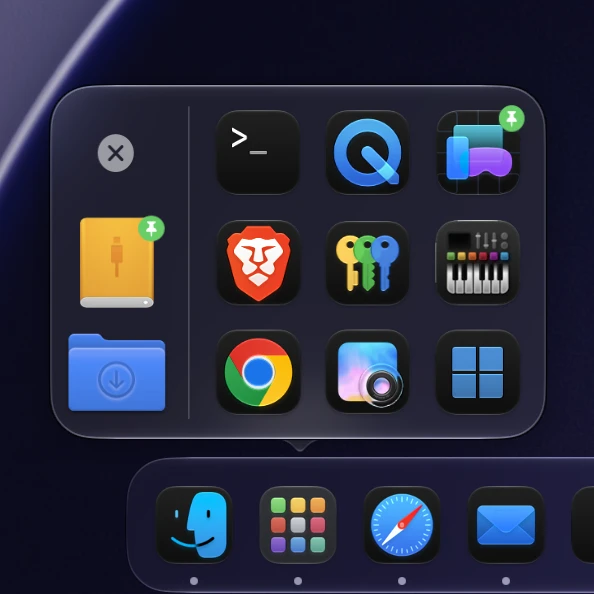
Stacker keeps the Dock short. Apps you open that are not in the Dock go into a single Stacker tile instead of filling the Dock's recent apps section. Hover the tile and a popup shows every stacked app, the last Finder folders you closed and a quit button.
Stacker can also tidy the Dock for you: apps you have not used for a set time move from the Dock into the stack, and Return to Dock puts any of them back.
What Goes Into the Stack
The stack holds 16 apps by default. When it is full, the oldest unpinned app is dropped first.
The Popup
The popup opens on hover or on click, centered on the Dock tile. On macOS 26 and later it uses Liquid Glass.
Smart Quit Button
Hold the quit button to close every running app that is not in the Dock. Before quitting, Stacker measures each app's CPU and disk activity for half a second and leaves apps that are still working in the background running, such as a video export or a file copy.
Apps that ignore the normal quit request can go on the force quit list. Apps on the excluded list are never quit, never stacked and never moved out of the Dock.
Settings
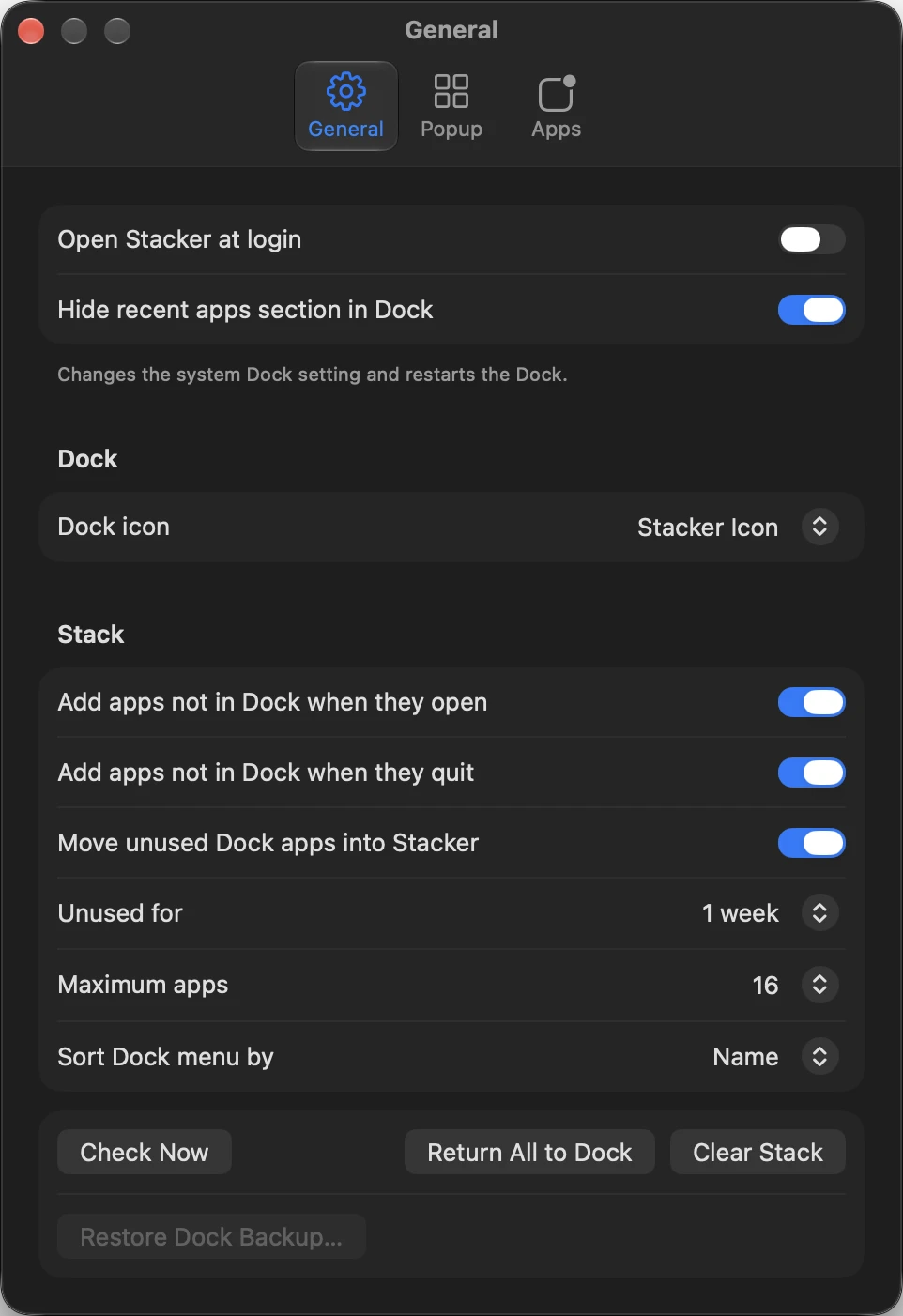
Open at login, hide the Dock's recent apps section, choose the Stacker icon or a grid of the stacked apps for the Dock tile, and set what goes into the stack.
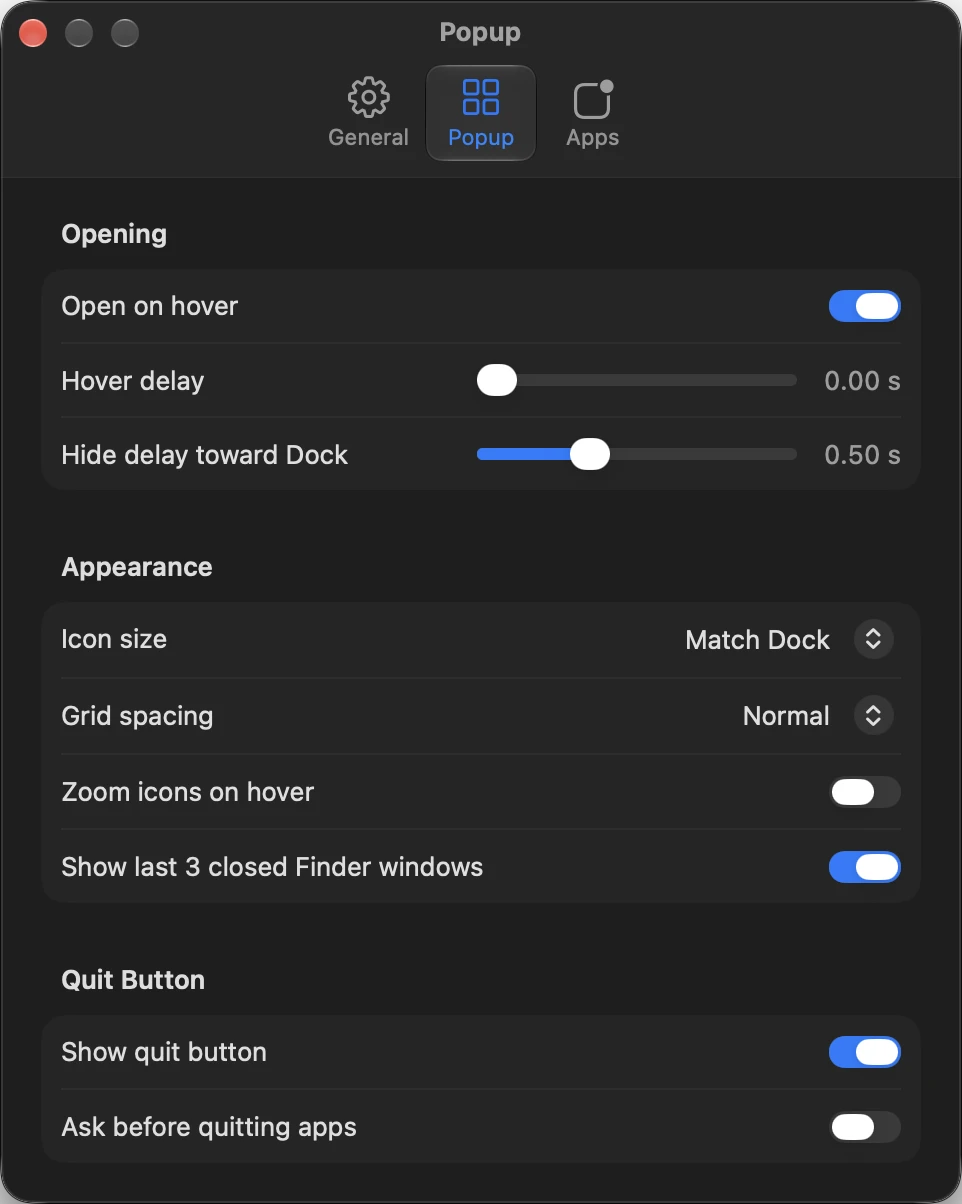
Hover and hide delays, icon size, grid spacing, hover zoom, closed Finder windows and the quit button.
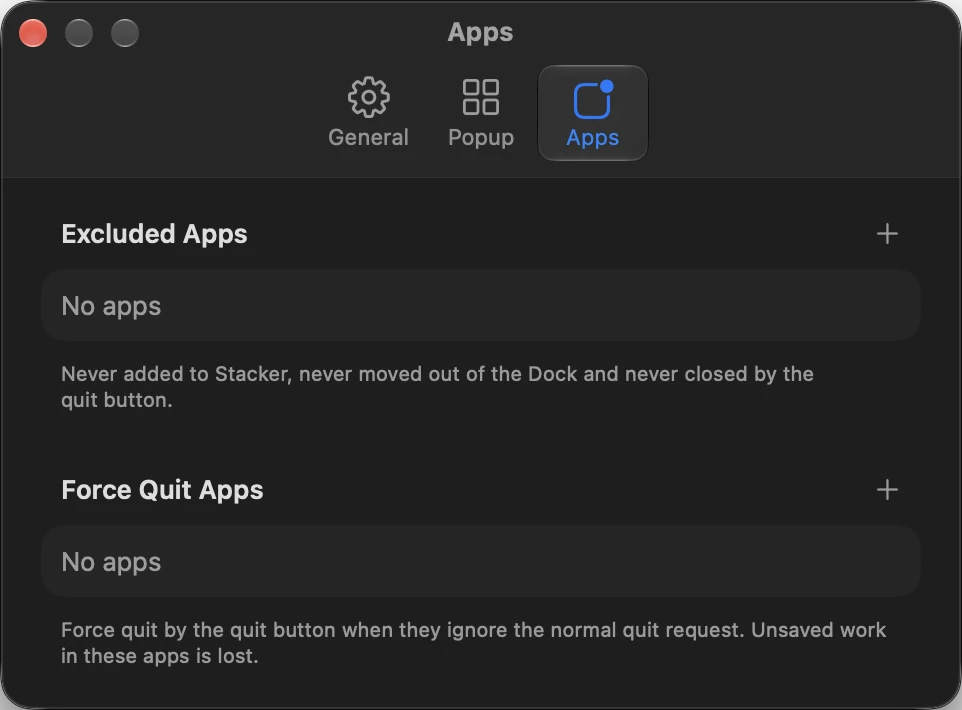
The excluded apps and force quit lists.
Safe Dock Changes
Before Stacker changes the Dock for the first time, it saves a backup of the original Dock. Restore Dock Backup in Settings puts it back, and Return All to Dock moves every stacked Dock app back where it was.
Stacker uses Accessibility to find its Dock tile for hover, and Finder automation to track closed folders. Without Accessibility, clicking the tile still opens the popup.
System Requirements
 Ventura 13.0+. Apple Silicon or IntelMacBook Pro: Late 2013+
Stacker is free.
Updates are installed from within the app.


