
September 22, 2025
HighLife Sampler 2.5 released
HighLife 2.5 delivers revolutionary workflow enhancements with advanced multi-threaded sample loading, comprehensive ZBP (Bliss Program) integration, and intelligent sample library management featuring SSD-optimized performance and automated project portability for professional sampling and sound design.

Performance & Loading Optimization
- Implemented ThreadPool system for parallel sample loading with SSD-optimized performance delivering dramatically faster library imports and enhanced workflow efficiency.
- Added intelligent sample size management with automatic 25MB threshold for reference mode switching ensuring optimal memory usage while preserving editing capabilities.
- Enhanced memory management with proper bounds checking, memory-safe allocation, and robust data preservation during all editing operations for professional reliability.
- Added automatic fallback system where single files use synchronous loading while multiple files utilize parallel processing for optimal performance across different scenarios.
ZBP Format Integration
- Added comprehensive ZBP (Bliss Program) import and export support with complete round-trip fidelity enabling seamless integration with Bliss sampler workflows.
- Implemented intelligent parameter mapping between Bliss and HighLife architectures preserving all musical parameters, synthesis settings, and sample content.
- Enhanced export engine generates high-quality 24-bit FLAC audio with embedded metadata, standards-compliant ZIP archives, and comprehensive XML serialization of program parameters.
Sample Library Management
- Introduced integrated Sample Library system with hierarchical folder navigation and intelligent caching located in Documents > discoDSP > HighLife > Samples for streamlined access to sample collections.
- Added smart workflow integration presenting Sample Library directly in main menu for empty programs, while programs with zones feature library access in both zone menus and Add New Zone submenus.
- Added "Open Sample Library Folder" option for easy sample management and organization within the integrated workflow.
Project Management & Workflow
- Added "Save Samples in State" option with automatic missing file detection and graceful fallback ensuring complete project portability across different systems and environments.
- Enhanced sample editor selection system with visible drag handles and zoom persistence for precise editing control and improved user experience.
- Improved reference mode switching robustness with proper data preservation during sample edits preventing data loss during mode transitions.
- Changed settings file from HighLife.settings to Settings.xml for better organization and cross-platform compatibility.
Audio Engine & Compatibility
- Fixed filter cutoff calibration and display mapping for 2x oversampling mode ensuring accurate parameter response and visual feedback.
- Enhanced SFZ parser with improved velocity layer parsing correctly resetting parser_lovel=0 and parser_hivel=127 for each new region.
- Enhanced ARM/NEON compatibility and performance on Apple Silicon and ARM-based systems.
This update is free for existing HighLife customers and available now in AU, VST2, VST3, AAX, and standalone formats for Windows (10+), macOS (10.14+), and Linux (Ubuntu 20+) with Universal Binary 2 and native Apple Silicon support. Visit our HighLife product page for download information and complete documentation.
September 15, 2025
Bliss 3.3, OB-Xd 3.11 released
Bliss Sampler 3.3 delivers revolutionary performance enhancements with advanced multi-threaded sample loading, next-generation analog modeled ZDF DSP filters, and comprehensive workflow improvements featuring intelligent batch processing and 3D visual interface upgrades for professional sampling and sound design.
Audio Processing & Effects
- Replaced filters with new generation analog modeled ZDF DSP delivering enhanced musical character and improved frequency response accuracy.
- Added Sample Editor > Effects > Render Pitch Shift feature for offline pitch processing with professional-grade algorithms.
- Added 4 new automatable parameters for Sample destinations: Pitch Mode, Coarse Tuning, Time Stretch, Fine Tuning enabling dynamic sound manipulation.
- Updated Reverb presets with improved quality and optimized numerical stability in interpolation algorithms for pristine spatial effects.
Sample Management & Workflow
- Added Sample Editor > Effects > Batch Crossfade Render functionality for processing multiple samples efficiently in professional production workflows.
- Changed loop crossfade range to 2-15% for more precise control and better musical results eliminating unwanted artifacts.
- Enhanced program-level source file reference system supporting all formats (.zbp, SFZ, EXS, SF2, etc.) with improved compatibility and reliability.
- Improved sample loading resilience with better error recovery for corrupted or missing files ensuring stable operation in demanding environments.
- Added comprehensive error logging for missing sample files with specific file paths and zone information for streamlined troubleshooting.
- Resolved boundary condition clicks through improved area calculations, proper bounds checking, and enhanced loop content preservation.
Interface & Usability Enhancements
- Introduced 3D rendered knobs with realistic depth, lighting effects, and enhanced shadows for professional appearance and tactile feedback.
- Added subtle 3D text effects with top lighting and depth shadows for all UI elements, optimized to keep LCD fonts crisp and readable.
- Added the MIDI CC number display to the macro editor for precise automation control and enhanced workflow efficiency.
- Comprehensive bubble tooltip system with descriptive help for all interface buttons including zone controls, macro assignments, and effect parameters.
- Improved sample editor playback cursor with waveform-aware visualization and smooth 60Hz updates for better user experience and precision editing.
Performance & Technical Optimizations
- Added parallel sample loading with 3-pass approach and enhanced DAW project save/load performance using 24-thread pool for modern multi-core systems.
- Implemented adaptive drive detection with automatic parallel/serial loading based on storage type (SSD vs HDD) using 64KB I/O timing tests for optimal performance.
- Enhanced memory alignment to 32-byte for AVX2 compatibility and improved bounds checking for phase speed calculations with better stability.
- Streamlined ARM NEON performance by replacing individual lane operations with direct memory-to-vector loading and eliminating redundant switch statements.
- Thread-Safe Time Stretch engine Parameter Management with enhanced stability for reliable multi-threaded processing in demanding production environments.
- Location-specific optimization for mixed storage environments with robust error handling and graceful fallback to serial loading ensuring consistent performance.
This update is free for existing Bliss 2.x customers and available now in AU, VST2, VST3, and standalone formats for Windows (10+), macOS (10.14+), and Linux (Ubuntu 20+) with Universal Binary 2 and native Apple Silicon support. Visit our Bliss product page for download information and complete documentation.
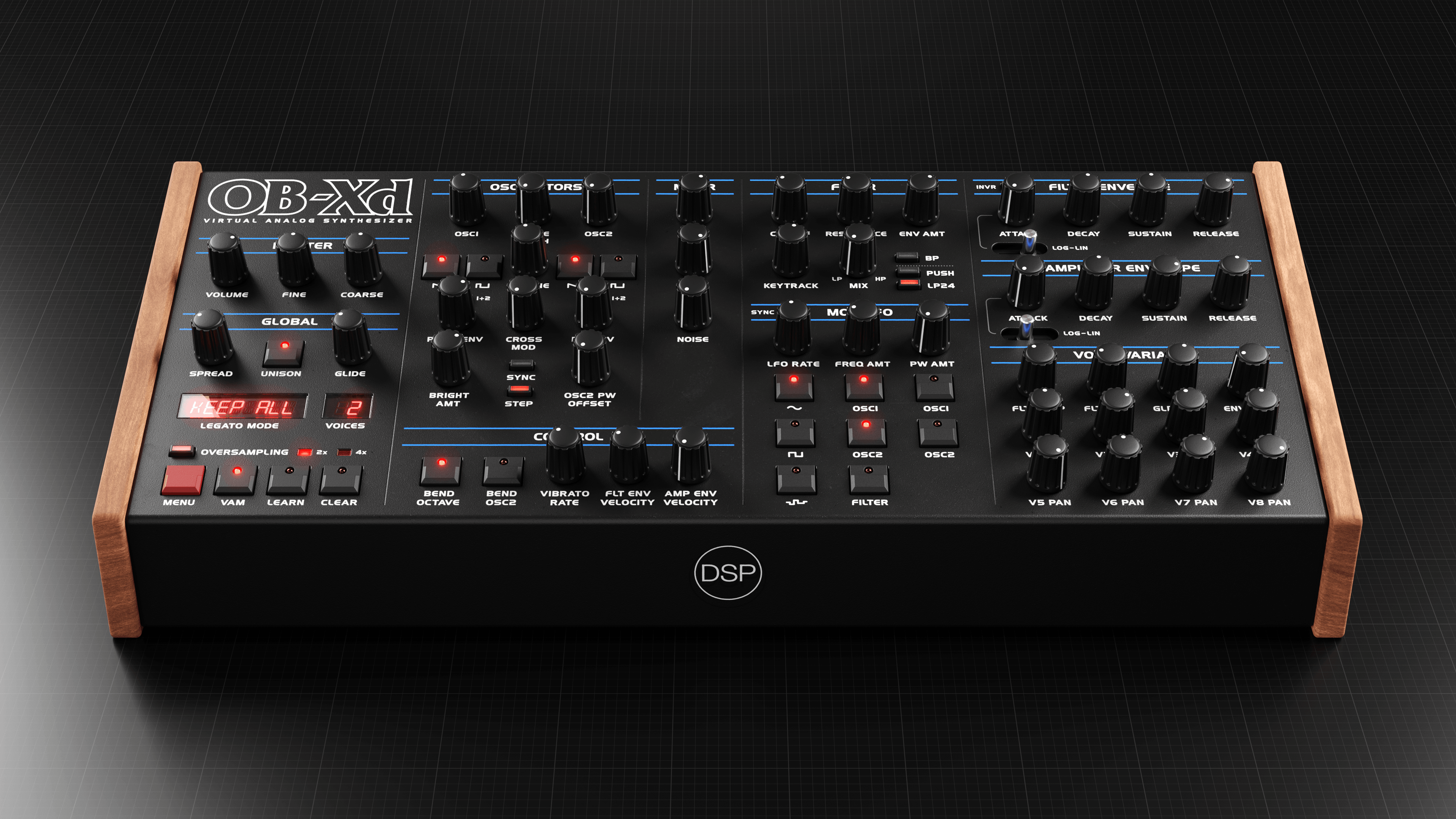
OB-Xd Synthesizer 3.11OB-Xd Synthesizer 3.11 introduces enhanced MIDI CC mapping visualization, optimized performance through advanced caching systems, and comprehensive preset management improvements delivering streamlined workflow efficiency for classic analog synthesis with modern reliability and professional features.
Performance & Code Optimization
- Cached getPopupMenuFont Font for improved performance reducing GUI rendering overhead and enhancing real-time responsiveness.
- Replaced long if-chain with dictionary lookup in loadSkin function for code optimization delivering faster theme switching and reduced CPU usage.
- Implemented optimized asset loading system with intelligent caching mechanisms for improved startup times and memory efficiency.
MIDI Features & Control
- Added Menu > MIDI > Show CC Mappings feature providing comprehensive visualization of controller assignments for enhanced workflow control.
- CC mappings will automatically refresh whenever a different MIDI mapping file is selected ensuring accurate real-time parameter control and seamless integration.
Preset Management & Workflow
- Added Reload Preset function enabling quick preset refresh without plugin restart for efficient sound design workflows and A/B comparisons.
- Fixed preset menu not showing in search mode - allow menu creation when search is active regardless of folder validity improving preset discovery.
- Fixed preset name label clicks not working after search dialog - removed interfering focus restoration timers for consistent user interface behavior.
- Enhanced preset browsing with improved search functionality and streamlined navigation for faster sound selection in live performance scenarios.
System Stability & Bug Fixes
- Fixed OSC 2 Detune knob default value ensuring accurate parameter initialization and consistent sound reproduction across different host environments.
- Added license folder write permissions check preventing authorization issues and ensuring smooth plugin operation across different system configurations.
- UI Improvements with enhanced visual feedback and streamlined interface elements for better user experience and professional appearance.
- Slight file menu item redesign with improved organization and clearer visual hierarchy for enhanced workflow efficiency.
This update is free for existing OB-Xd 3.x customers and available now in AU, VST2, VST3, and standalone formats for Windows (10+), macOS (10.14+), and Linux (Ubuntu 20+) with Universal Binary 2 and native Apple Silicon support. Visit our OB-Xd product page for download information and complete documentation.
September 7, 2025
Discovery 6.3 released
We're excited to announce the release of Discovery 6.3, introducing a comprehensive GUI skin system and delivering significant visual and performance improvements across all platforms. This landmark release transforms your creative workflow with customizable visual themes while implementing cutting-edge performance optimizations.

GUI Skin System
- Added comprehensive GUI skin system featuring Arctic White and Nordic Red themes for complete visual customization.
- Professional-grade aesthetic options allowing producers to match their studio environment and personal creative style.
Enhanced Display Performance
- Resolved critical retina assets selection and gate cell display issues at 1.5x scaling providing perfect visual clarity across all display configurations.
- Optimized GUI images with modern resource loading architecture significantly reducing initialization time and memory usage.
- Enhanced rendering pipeline with improved asset caching for smoother visual performance during intensive production sessions.
Advanced Audio Engine Optimizations
- Optimized wave oscillator with advanced FMA (Fused Multiply-Add) code implementation delivering superior computational efficiency.
- Enhanced mathematical precision in oscillator calculations providing cleaner audio output with reduced CPU overhead.
- Platform-specific optimizations ensuring optimal performance across Intel, AMD, and Apple Silicon architectures.
Cross-Platform Excellence
- Enhanced compatibility across all supported platforms with native optimizations for maximum performance efficiency.
- Improved Universal Binary 2 support for seamless operation on both Intel and Apple Silicon Mac systems.
- Optimized build configurations with architecture-specific enhancements for consistent performance delivery.
Discovery 6.3 is a free upgrade for all existing 6.x customers and is available as Standalone, AU, VST2, and VST3 versions for Windows (10+), macOS (10.14+), and Linux (Ubuntu 20+) with Universal Binary 2 and native Apple Silicon support. More details and download information can be found at Discovery page.
September 1, 2025
Corona, Discovery iOS, Discovery Pro, FX updates
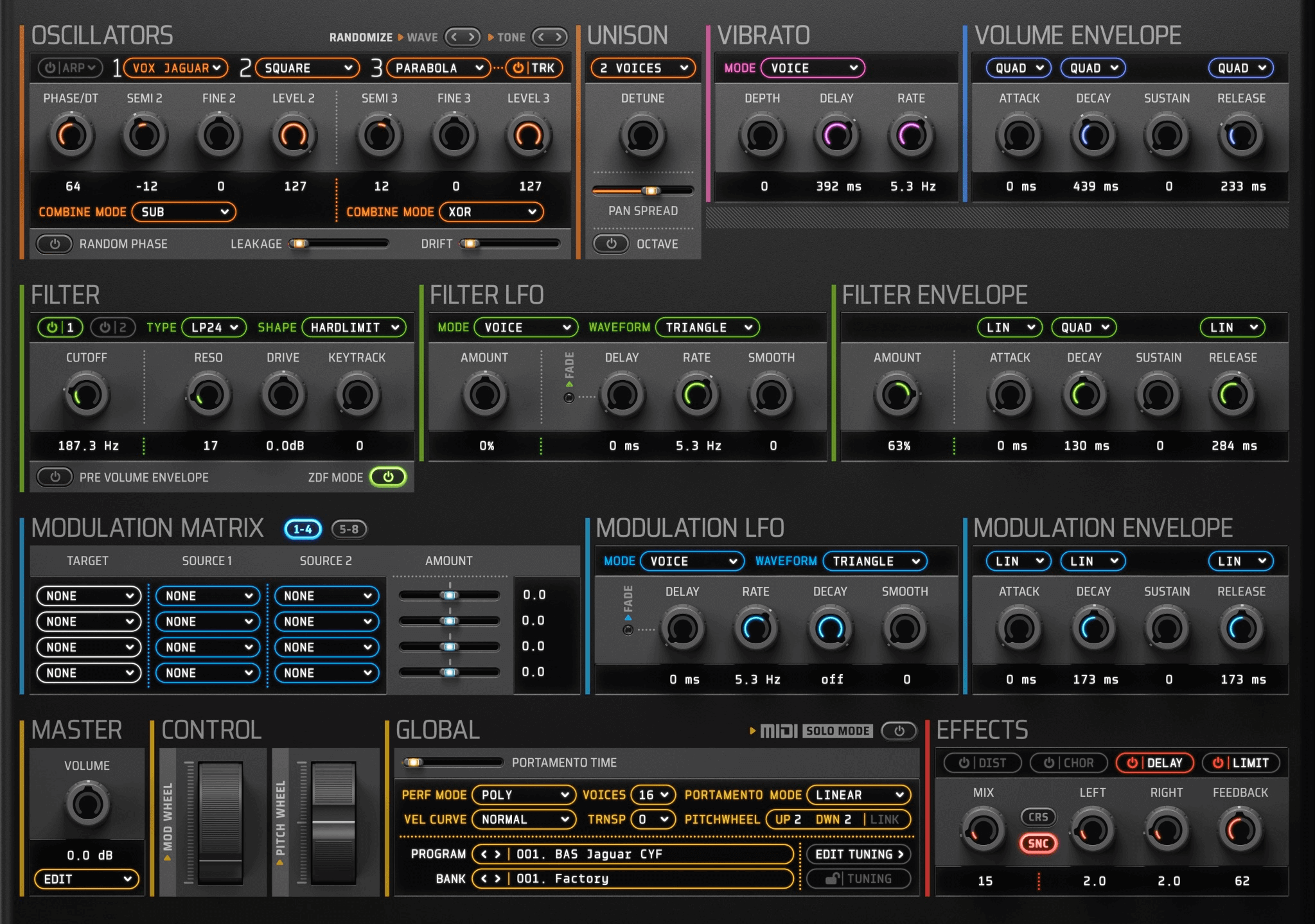
Corona 6.5 delivers enhanced MTS-ESP stability with comprehensive null pointer protection and introducing an intelligent Wave Expansion download system featuring automatic resume capability and progress tracking for seamless soundware management.
Enhanced MTS-ESP Stability
- Fixed MTS-ESP master detection with comprehensive null pointer checks preventing crashes when microtuning master applications are unavailable.
- Improved stability and reliability of microtuning functionality across different host environments and system configurations.
- Enhanced error handling for MTS-ESP communication ensuring graceful fallback when microtuning services are interrupted.
Intelligent Soundware Management
- Added File > Soundware submenu providing centralized access to Wave Expansion downloads and additional banks browser.
- Intelligent Wave Expansion download system with automatic resume capability and real-time progress tracking for interrupted downloads.
- Enhanced missing wave bank detection with smart notifications directing users to downloadable content when banks are unavailable.
- Streamlined workflow for accessing and managing Corona's extensive sound library collection directly from within the plugin.
Platform-Specific Optimizations
- Updated DSP library with improved NEON and AVX2 instruction set performance delivering better real-time processing efficiency.
- Apple Silicon optimizations for ARM-based Mac systems with native architectural enhancements for M processors.
- Advanced vectorization implementation and platform-specific compiler optimizations providing consistent performance across Intel, AMD, and ARM architectures.
- Enhanced build configuration with automatic architecture detection and optimal flag selection for maximum efficiency.
This update is free for existing Corona customers and available now in AAX, AU, VST2, VST3, and standalone formats for Windows, macOS, and Linux. Visit our Corona product page for download information and complete documentation.
Discovery iOS 6.2Discovery iOS 6.2, now live on the App Store features AUv3 plugin parameter display, improved memory management, and advanced DSP optimizations delivering faster audio processing with more accurate filter performance for professional mobile music production.

Enhanced iOS Performance & Audio Quality
- Faster audio processing and more accurate filter performance with advanced DSP optimizations specifically tuned for iOS hardware capabilities.
- Improved MIDI event processing with reduced latency providing responsive real-time performance for touch-based music creation.
- Enhanced memory management ensuring stable operation across different iOS devices and multitasking scenarios.
Professional AUv3 Plugin Integration
- Added comprehensive AUv3 plugin parameter display enabling full automation and control within compatible iOS DAW applications.
- Enhanced plugin state management and parameter synchronization for seamless integration with GarageBand, Cubasis, and other professional iOS music apps.
- Improved preset handling and program management within AUv3 host environments.
Refined User Interface for Touch
- Enhanced user interface with larger LED tap areas and expanded clickable regions optimized for touch interaction on iPhone and iPad.
- Improved MIDI keyboard rendering with smoother visual feedback providing better playing experience on touchscreen devices.
- New Load Bank function in File menu for streamlined preset management and easier sound library navigation.
- Fixed issue where first bank failed to load on initial app launch ensuring immediate access to sounds upon first use.
Discovery iOS 6.2 is available now on the App Store. Visit Discovery iOS product page for more information and documentation.
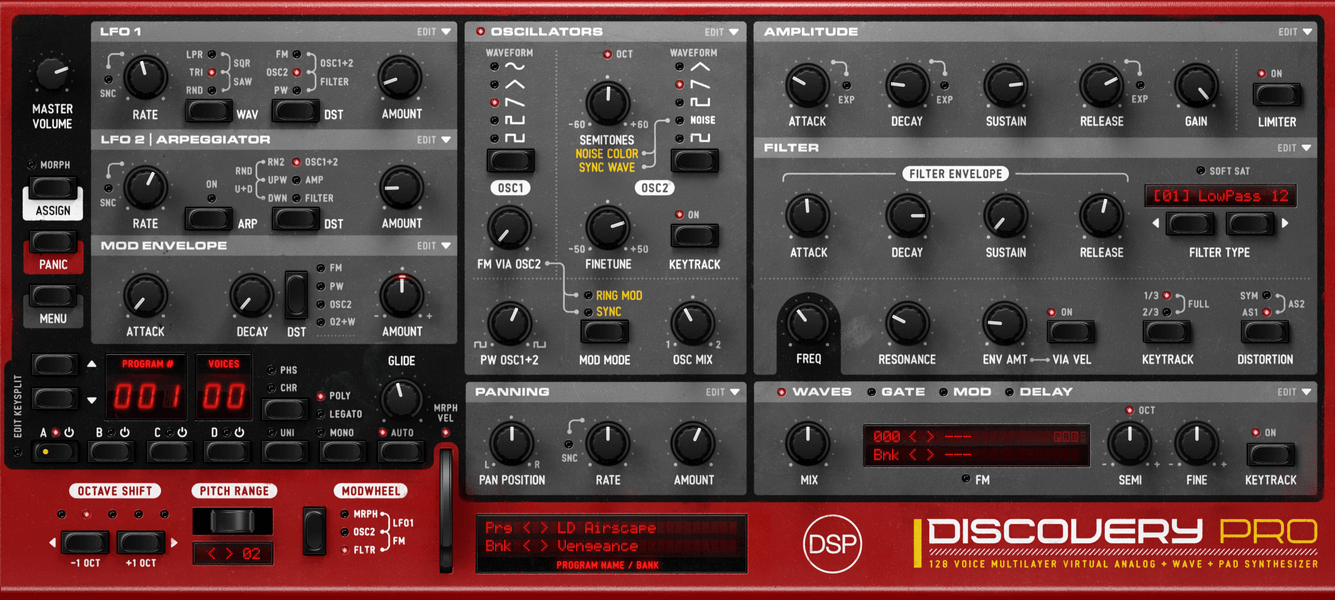
Discovery Pro 8.8.8The release of Discovery Pro 8.8.8 delivers significant DSP performance enhancements with advanced SIMD optimizations, reducing CPU usage by up to 75% while maintaining identical audio quality through revolutionary wave engine improvements and intelligent musical pattern generation.
Revolutionary SIMD Performance Optimizations
- Upgraded wave resampling engine with AVX2 and FMA instructions on Intel/AMD platforms delivering 2x processing throughput with enhanced memory alignment and cache utilization.
- Native NEON SIMD processing for Apple Silicon architectures providing up to 4x performance gains during intensive wave processing.
- Enhanced coefficient processing efficiency while maintaining identical audio quality and original algorithm integrity across all platforms.
- Streamlined floor operations with platform-specific optimizations reducing computational overhead throughout the DSP chain.
Intelligent Musical Pattern Generation
- Advanced Markov Chain-based rhythmic pattern generation with House, Jazz, and Techno style matrices for authentic musical sequences.
- Intelligent harmonic modulation generator featuring seven music theory-based algorithms for OSC2 detune creating structured bassline patterns.
- Enhanced traditional oscillating waveforms with subtle musical randomization for organic variation replacing purely random sequences.
- New "Randomize" option in Gate and Modulation preset dropdown menus providing quick access to sophisticated pattern algorithms.
Plugin Optimization & User Experience
- Reduced plugin size by up to 75% through externalized skin assets with faster installation and loading times.
- Intelligent asset loading system that only loads required assets at startup, significantly reducing memory usage and initialization time.
- Asynchronous background loading of GUI assets preventing CPU spikes during plugin initialization in demanding production environments.
- Smarter caching system with reduced timeout freeing memory from unused assets more efficiently.
Comprehensive MTS-ESP Microtuning Support
- Thread-safe MTS-ESP client with mutex protection preventing crashes during voice creation and destruction.
- Enhanced frequency range validation to prevent invalid tuning data from causing audio artifacts.
- Implemented ratio bounds clamping to prevent extreme pitch deviations that could damage speakers or hearing.
- Added support for note filtering with proper keyboard mapping support.
Enhanced Audio Quality & Stability
- Enhanced Audio Unit validation improvements eliminating conflicts in Logic Pro and other AU hosts with better MIDI processing consistency.
- Enhanced legato parameter handling with fixed critical logic bug ensuring correct legato/re-triggering behavior across all layers.
- Improved SFZ instrument management with enhanced memory management when switching between instruments.
- Wave interpolation engine refinements with streamlined SIMD-optimized resampling algorithms.
Code Modernization
- Code modernization with contemporary C++ standards, proper type safety, and streamlined architecture for future compatibility.
- Enhanced code quality with comprehensive improvements across the entire codebase for increased robustness and reliability.
- Optimized build process with streamlined compilation for Intel and Apple Silicon architectures.
This update is free for existing Discovery Pro 8.x customers and available now in AAX, AU, VST2, VST3, and standalone formats for Windows, macOS, and Linux. Visit our Discovery Pro product page for download information and complete documentation.
NightShine 2.4NightShine 2.4 introduces comprehensive sidechain compression with dramatic CPU performance improvements and enhanced analog modeling algorithms, delivering professional-grade dynamics control with up to 80% reduced processing overhead.

Revolutionary Sidechain Compression
- Comprehensive sidechain functionality enabling creative ducking effects and pumping compression techniques responding to external audio sources.
- New sidechain presets including Duck Hard for aggressive ducking, Duck Smooth for subtle automation, and Pumping House for classic dance music effects.
- Vocal Duck preset automatically reducing backing tracks when vocals are present for professional broadcast and mixing applications.
- Advanced sidechain processing with flexible routing options and precise control over compression response characteristics.
Major CPU Performance Breakthrough
- Improved CPU performance with 5-25% reduction in processing overhead through optimized algorithms and enhanced processing efficiency.
- Allows significantly more plugin instances to run simultaneously in demanding projects without performance degradation.
- Enhanced real-time responsiveness with reduced latency for immediate parameter feedback during mixing and tracking sessions.
- Optimized memory usage and processing architecture for better stability across different DAW environments.
Enhanced Audio Quality & Features
- Enhanced saturation character with optimized analog modeling algorithms providing smoother, more musical harmonic enhancement.
- Improved processing delivers more consistent results across different playback systems and sample rates maintaining NightShine's signature warmth.
- Bug fixes and stability improvements ensuring reliable operation across different DAW environments and system configurations.
- Demo version refinements with disabled bounce and offline rendering providing clearer distinction between trial and full versions.
This update is free for existing FX Bundle customers and available now in AU, VST2, VST3, and standalone formats for Windows, iOS, macOS, and Linux. Visit our FX Bundle product page for download information and complete documentation.


