
December 15, 2025
Discovery Pro 8.11 released
Discovery Pro 8.11 introduces powerful new oscillator types with JP-8080 Super 7 Supersaw, comprehensive real-time visualization with oscilloscope display, advanced sequencer capabilities with gate note retrigger, and workflow enhancements for professional production.
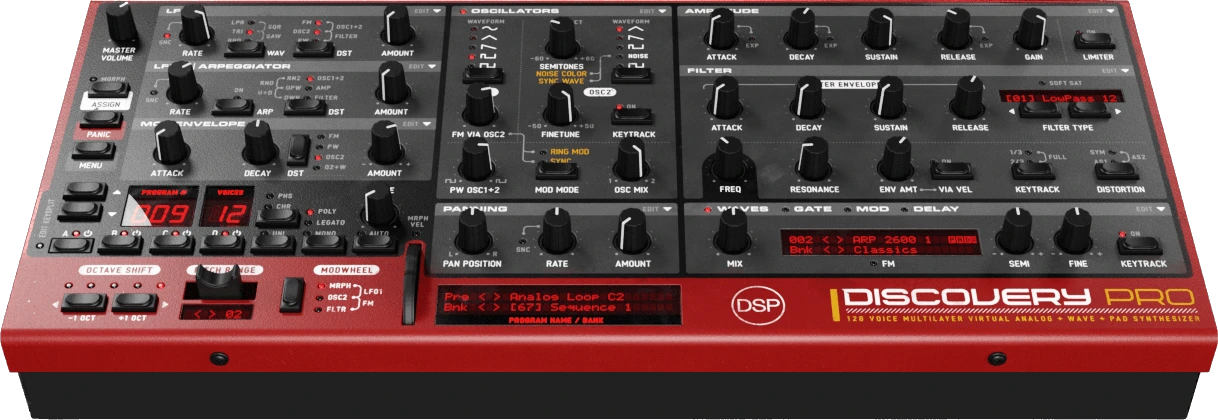
JP-8080 Super 7 Supersaw
- Classic Roland JP-8080 supersaw algorithm with seven stacked sawtooth oscillators for massive trance leads and pads.
- Pulse Width knob controls detune amount from subtle string-like chorus to full supersaw spread.
- LFO and Mod Envelope modulation of detune via standard PW destination for animated timbres.
- Phase mode support: random phase per note (authentic JP-8080) or retriggered phase for consistent attack.
- Green LED indicator on SAW button distinguishes Super 7 from Parabolic (blue LED).
- Available on both OSC1 and OSC2 with full unison compatibility for additional stereo width.
Real-Time Visualization
- Oscilloscope waveform display with real-time stereo visualization featuring LED glow effect and dynamic brightness.
- Skin-aware color theming with configurable ARGB colors per skin in Skin.xml.
- Master Volume VU meter providing real-time output level visualization on volume knob.
- Modulation indicators on Pulse Width, FM Amount, AMP Gain, Wave Semitone, OSC2 Semitone, Filter Cutoff, and Pan knobs.
- Real-time envelope position display on all AMP, VCF, and Mod envelope ADSR knobs.
- Multi-voice pan indicator displays all active voice positions simultaneously in voice-panning modes.
Voice Note Panning Mode
- Third panning option positioning notes in stereo field based on MIDI note number (low notes left, high notes right).
- L/R controls center note across full MIDI range with Amount controlling stereo separation.
- Rate adds dynamic drift LFO for evolving stereo movement with optional tempo sync.
- Pan preset menu reorganized with Mode submenu (Layer / Voice / Voice Note).
Gate Sequencer Note Retrigger
- Four-state gate sequencer supporting Off, Gate On, Retrigger, and Gate+Retrigger per step.
- Full voice note-off/note-on cycle on retrigger steps for hard envelope restarts and dynamic rhythmic articulation.
- White circle UI indicator displays retrigger-enabled steps in gate sequencer view.
- Independent editing modes: normal click toggles gate state, right-click toggles retrigger state.
- Enhanced LCD display shows all four gate states with descriptive labels.
Arpeggiator Improvements
- Fixed first arp note delay when pressing a key after 2+ seconds of silence with tempo-synced arp rates.
- Gate retrigger now triggers arpeggiator notes immediately instead of waiting for next sample cycle.
- Fixed Markov arp mode double increment bug that caused erratic step advancement.
- Proper arpeggiator step advancement in gate retrigger for all modes (down, up&down, up, random, rand2, Markov).
Workflow Enhancements
- VA Oscillator Switch submenu added to OSC preset dropdown for quick access to Free Running, Phase Reset, and Off modes.
- Command+double-click resets morph sense to zero on all aftertouch sense knobs.
- Sense edit mode inverts Command key behavior for consistent sense/value editing workflow.
- Mod sequencer value input changed from Ctrl+Click to Shift+Click for more intuitive modifier usage.
- Native macOS dialog integration for mod value input on Mac platform.
Performance & Optimization
- Assets Pack System: New VPAK format packs all skin files into single Assets.pack file per skin for smaller installer size.
- Per-skin image caching for faster subsequent loads with thread-safe pack access.
- Dynamic wavetable decimation support for runtime size optimization using half memory with 2x-16x oversampling.
- Reduced GUI memory spikes through voice counter caching and optimized repaint handling.
This update is free for existing Discovery Pro 8.x customers and available now in AAX, AU, VST2, VST3, and standalone formats for Windows, macOS, and Linux. Visit our Discovery Pro product page for download information and complete documentation.
December 7, 2025
OB-Xd 3.14 released
OB-Xd 3.14 introduces polyphonic unison mode, a major enhancement allowing multiple notes to be played simultaneously with stacked voices per note, unlocking evolving chords and complex textures while maintaining the classic mono unison behavior when needed.
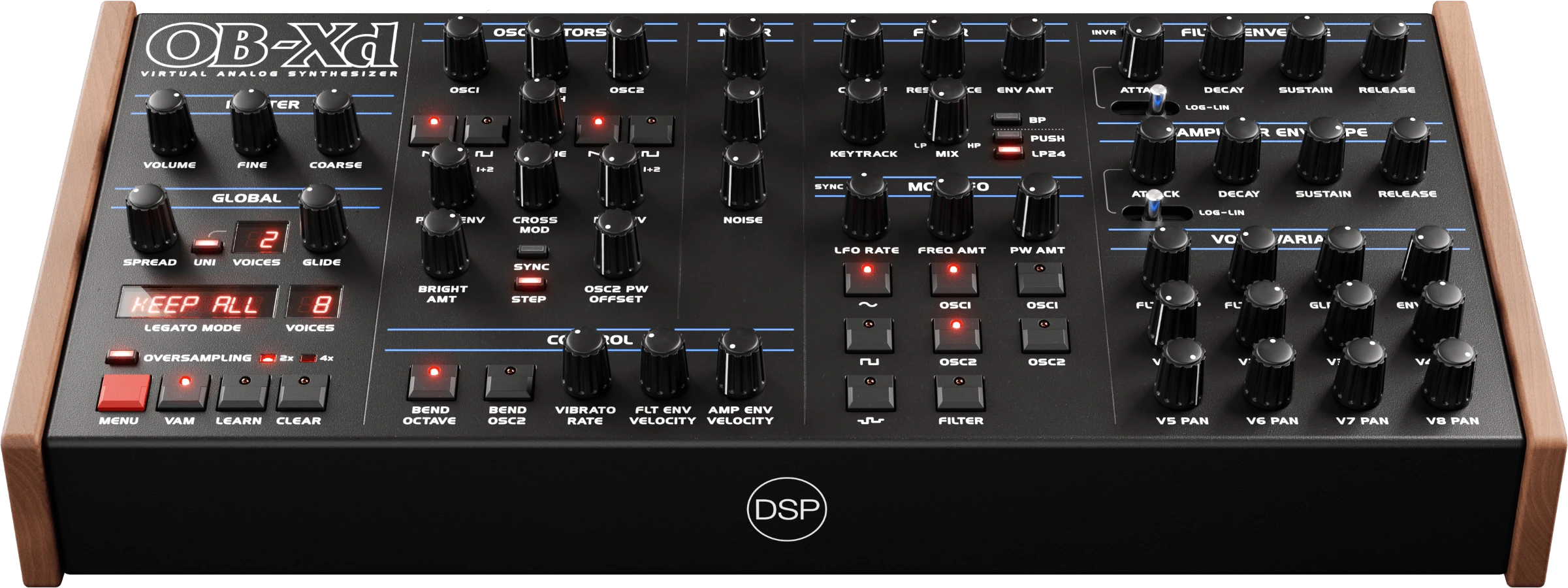
Polyphonic Unison Mode
- Previously unison forced monophonic behavior allowing only one note to sound at a time with all voices stacked in classic mono synth behavior.
- Now unison mode maintains polyphonic behavior where Polyphony Voices controls the number of simultaneous notes you can play and Unison Voices controls how many voices stack per note.
- Classic mono unison still available by setting polyphony to 1 voice for vintage Minimoog-style behavior.
- Play thick chords with unison enabled: stack 2-4 voices per note across 4-8 note chords for massive pads and lush leads.
- Flexible voice budgeting balances thickness vs. polyphony based on your part-thick mono leads or thinner polyphonic textures from the same preset.
Practical Examples
- 8 voices, unison ON, multiply 2: Play 4 notes with 2 stacked voices each = thick chords with moderate detuning.
- 16 voices, unison ON, multiply 4: Play 4 notes with 4 stacked voices each = super-wide stereo pads.
- 8 voices, unison ON, multiply 8: Play 1 note with 8 stacked voices = classic mono unison lead (vintage mode).
- 32 voices, unison ON, multiply 2: Play 16 notes with 2 voices each = complex polyphonic sequences with movement.
User Interface Enhancements
- Polyphony Preset Menu: Replaced linear 1-32 voice count menu with musically meaningful preset values (1, 2, 4, 6, 8, 12, 16, 24, 32) matching classic and modern synthesizer standards.
- First-Time Unison Dialog: Informational dialog appears once when unison is clicked, explaining the new polyphonic behavior and how to achieve classic mono unison.
Technical Implementation
- Simplified voice allocation logic by removing unison/non-unison branch distinction.
- Always uses polyphonic allocation with calculated voices per note group.
- Vectorized architecture processes voice groups efficiently through SIMD instructions (AVX2 on Intel/AMD, NEON on ARM).
- Makes complex polyphonic unison practical on modern CPUs without performance degradation.
This update is free for existing OB-Xd 3.x customers and available now in AAX, AU, VST2, VST3, LV2, and standalone formats for Windows, macOS, and Linux with Universal Binary 2 and native Apple Silicon support. Visit our OB-Xd product page for download information and complete documentation.
December 1, 2025
Discovery Pro 8.10 released
Discovery Pro 8.10 is out now, featuring 16x oversampling for offline bounce, intelligent mono mode priority for chord handling, voice-based panning for natural stereo spread, classic filters toggle for vintage character, and significant CPU optimization with comprehensive HiDPI display improvements across all platforms.
16x Oversampling for Offline Bounce
- Maximum audio quality option for final renders with dedicated high-resolution delay buffers.
- Dual-delay architecture maintaining memory efficiency for realtime playback.
- Lazy initialization of 16x oversampler using FIR Equiripple filter.
- Extended bounce menu with 16x oversampling option.
Mono Mode Priority
- Control which note plays when triggering chords in mono/legato mode.
- Five priority modes: Last Note (default), First Note, Lowest Note (ideal for bass), Highest Note (ideal for leads), and Random Note.
- Intelligent 20ms chord detection window to capture simultaneous notes.
- Per-layer setting with backward compatibility for existing presets.
- Available in Voices Config popup.
Voice-Based Panning
- Per-voice panning mode where each note in a chord gets its own pan position based on individual velocity.
- Creates natural stereo spread with each voice maintaining independent LFO phase.
- Animated stereo movement for dynamic polyphonic textures.
- Toggle available in PAN preset menu with legacy layer-based mode preserved.
Classic Filters Toggle
- Layer-level control to switch between Modern and Classic filter algorithms.
- Classic mode uses legacy algorithm with hard clipping for vintage character.
- Modern mode (default) provides smoother sound, better stability, and improved audio quality.
- Affects LP12, LP24, HP12, HP24, BP24, BR24, and Formant filters.
- Available in filter popup menu with informational dialog.
CPU Optimization
- Intelligent silent block detection reduces idle CPU usage from 10% to 2% with high oversampling.
- Uses 2-second timeout to preserve delay tails and release envelopes.
- Master sample clock ensures LFOs and gate sequencers stay perfectly in sync during idle periods.
- Compensation for LFO1, LFO2, pan modulation phase, and gate counters.
HiDPI Display Improvements
- Proper scaling for all dialogs, popups, and menus on Windows at 125%, 150%, and 200% DPI settings.
- Fixed license and purchase dialogs displaying at 2x scale in standalone builds.
- Standalone builds now use base sizes with JUCE handling OS-level HiDPI scaling automatically.
- Plugin builds apply manual DPI scaling for compatibility with various host applications.
Platform Improvements
- macOS: Plugin data now stored in ~/Library/Application Support/discoDSP/Discovery Pro/ following Apple guidelines.
- Windows: Updated to native Segoe UI font, compiler migrated to Visual Studio 2022.
- Linux: Robust font fallback system (DejaVu Sans, Liberation Sans, Nimbus Sans, FreeSans).
- MIDI Out: Now available for VST2/VST3 formats with improved initialization.
This update is free for existing Discovery Pro 8.x customers and available now in AAX, AU, VST2, VST3, and standalone formats for Windows, macOS, and Linux. Visit our Discovery Pro product page for download information and complete documentation.


