News
Shop
Support
Synths
  • Corona
  •  Discovery
  • Discovery Pro
  •  OB-Xd
  •  OPL
  • Vertigo
  • Samplers
  • Bliss
  • HighLife
  • Effects
  •  FX Bundle
  • Soundware
  •  KeyPad
  • MidiKeys
  • Presets
  • Retromulator
  • Discovery 6.4

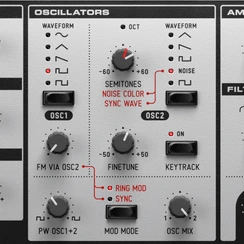
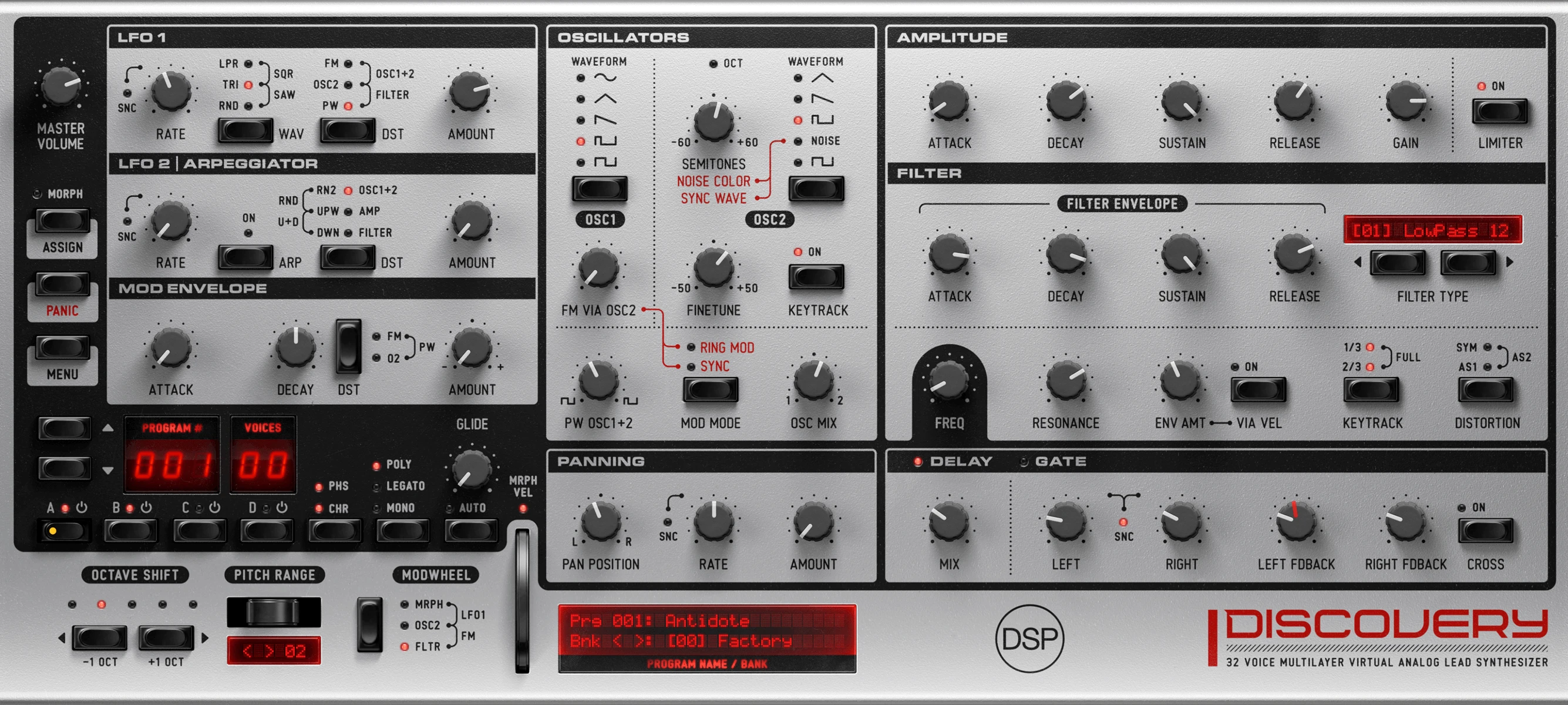
    Discovery is a virtual analog synthesizer inspired by the Nord Lead 2. Four layers, eight oscillators with sync and FM, a built-in arpeggiator, eight zero-delay feedback filter types, panning modulation, stereo delay, and gate effects.
    Progressive
    Stay The Night
    Anzwer Trance
    Yohng's Lush
    Pads & Beats
    Energy 52 Remix
    Miksa Strings
    Yohng's Discovery

    Discovery Tutorials Playlist
    Discovery takes me quickly to a wealth of tremendously usable textures. It is cleaner and punchier than any other analog modeling emulation I have ever used.
    Terry Lawless
    Keyboardist and Programmer, U2
    Overview
    Discovery at a Glance

    Two oscillators per layer with 2x oversampling for cleaner highs and tighter low end, eight zero-delay feedback filter types, ADSR per stage, and 3,500+ presets across 40 banks of 128 — including an electronic percussion section.

    Up to four layers per patch with morphing between them. Native Apple Silicon.
    Nord Lead 2 compatibility

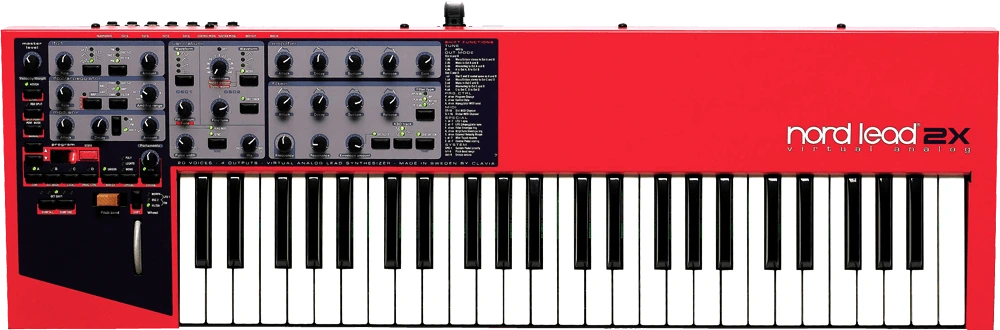
    Discovery is modeled after the Clavia Nord Lead 2.

    Imports Nord Lead 2 and 2X SysEx patches directly. 99% of the original CC map is preserved, so a Nord Lead hardware unit drives Discovery one-to-one as a controller.
    Workflow

    Most controls have a single-click shortcut. The reference below covers the ones that aren't obvious from the panel.


    Bank navigation

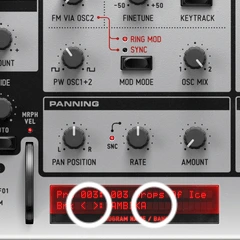
    Arrows step through banks; clicking the bank name opens a list. User banks live alongside the factory ones.


    Velocity-to-layer morph on/off

    LED above the Mod Wheel.

    Preset navigation

    Up/down buttons or click the Program LEDs for a list.


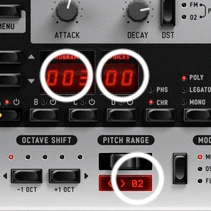
    Voice / oversampling / HQ distortion

    Click the voice indicator LED numbers.


    Pitch bend range

    Click the LCD number — drop-down with up to 48 semitones.

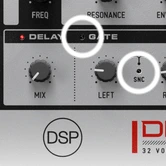
    Delay / Gate toggle

    LEDs in the title bars.


    Cross Delay tempo sync

    LED between the Left and Right Delay knobs.
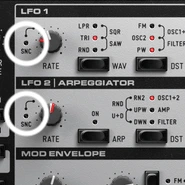
    LED to the left of the knob — works for LFOs, arpeggiator, and panning.

    Supported Platforms

    Universal Binary 2: Native Intel and Apple Silicon.
    Standalone Application: No additional software required.
    Apple Audio Unit. Steinberg VST. Steinberg VST3.

    Native Apple Silicon Universal 2 Binary 64-bit Standalone Application Apple Audio Unit Steinberg VST Steinberg VST3

    System Requirements

    Windows 10+. IntelIntel processors with AVX2 support:

    Core i3/i5/i7/i9: Haswell (2013) and newer
    Xeon: Haswell-E (2014) and newer
    or AMDAMD processors with AVX2 support:
    Ryzen: All models (2017+)
    FX: Excavator-based (2015+)
    EPYC: All models (2017+)
    Athlon: 3000G series and newer
    . 8 GB RAM.
    10.14+. Apple Silicon or IntelMacBook Pro: Late 2013+

    MacBook Air: Mid-2013+
    iMac: Late 2013+
    Mac mini: Late 2014+
    iMac Pro: 2017+
    Mac Pro: 2019+
    . 8 GB RAM.
    Debian 10+. IntelIntel processors with AVX2 support:

    Core i3/i5/i7/i9: Haswell (2013) and newer
    Xeon: Haswell-E (2014) and newer
    or AMDAMD processors with AVX2 support:
    Ryzen: All models (2017+)
    FX: Excavator-based (2015+)
    EPYC: All models (2017+)
    Athlon: 3000G series and newer
    . 8 GB RAM.

    A one-time internet connection is required to activate the software license. After this, users can use the software offline.

    The demo version may not output audio during offline rendering. Additionally, some functions, such as menu operations, parameter automation, and preset recall, may be disabled.

    © 2002-2026 discoDSP LLC. All rights reserved.
    About Us    Legal Info    Privacy Policy