WavePrompt is a free app for Mac and Windows. Describe a sound and WavePrompt renders it on your computer. Loops come out cut to exact bars at your tempo, vocal phrases sing your own words, and songs run from intro to outro. A piano roll lets you draw the melody and chords the result follows. The YuE2 music model runs on the Apple Silicon GPU on a Mac, or on an NVIDIA or Intel Arc GPU on Windows, so prompts, lyrics and audio never leave the machine.
Bar-accurate loops from 1 to 16 bars at 60 to 180 BPM, in any major or minor key and in 4/4, 3/4, 6/8, 5/4 or 7/8.
Sample-accurate loop starts with nudging, so loops drop straight into a DAW grid.
Vocal phrases
Short sung phrases from your lyrics in English, Chinese, Japanese, Korean, Spanish, French, German, Italian or Portuguese.
Eleven voice types including breathy, powerful, deep, raspy, falsetto, whisper, choir and rap, with optional vocal isolation.
Songs
Full songs from 15 seconds to 4 minutes, with vocals or instrumental, ending on a planned outro.
Lyrics are checked with Whisper and the vocal is fitted over the backing track.
Piano roll
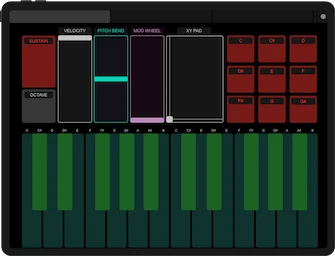
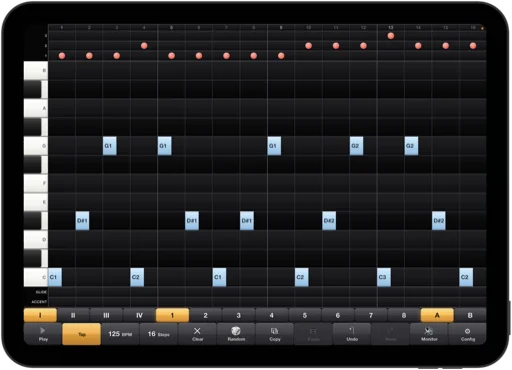
Draw a melody and pick a chord for each bar, or generate them in the chosen key with density, register and chord options.
Loops render on your melody and chords, songs repeat it through their sections and vocal phrases follow its pitches.
MIDI
Every result comes with a MIDI file of its score, with melody, chord, tempo, key and section marker tracks.
Export the piano roll as MIDI, or export from the library to MIDI or to a folder with the WAV, AAC and MIDI files together.
Style
34 genres, 14 moods and 11 instrument sets, plus a style strength setting for how closely the audio follows the prompt.
Shuffle and reset buttons per section, and fixed seeds to repeat or vary a result.
Library and export
Every render is kept in the library with its recipe, and its seed and style can be reused in another type.
Export to WAV (48 kHz, 24-bit) or AAC, with tempo matching by the Rubber Band Library.
Local generation
Generation runs on the GPU: Apple Silicon through Metal on a Mac, NVIDIA CUDA or Intel Arc on Windows. No server, no account, no upload.
After the first model download, WavePrompt works offline.
System Requirements
Mac
Apple Silicon (M1 or later). Intel Macs are not supported.
16 GB unified memory or more. 32 GB recommended for full songs.
macOS 26 Tahoe or later.
Windows
Windows 10 (version 2004) or Windows 11, 64-bit.
NVIDIA GeForce RTX 30 series or newer with 12 GB of video memory, or an Intel Arc GPU, including Core Ultra integrated graphics. Without one of these, WavePrompt runs on the CPU, which is much slower.
16 GB of RAM or more. 32 GB recommended for full songs.
Software and storage
Render time depends on the chip or graphics card.
About 10 GB of free disk space for the models and the engine, plus 1.5 to 3 GB on Windows for the GPU runtime.
An internet connection for the first model download only (on Windows also during setup).
Credit and Licensing
Music is generated with YuE2 by Multimodal Art Projection. Model weights are licensed under CC BY-NC 4.0 with individual creator permission, and generated audio is yours to use under that permission. Also uses Demucs, Whisper and the Rubber Band Library.